
How it works
- 1
Build your ritual
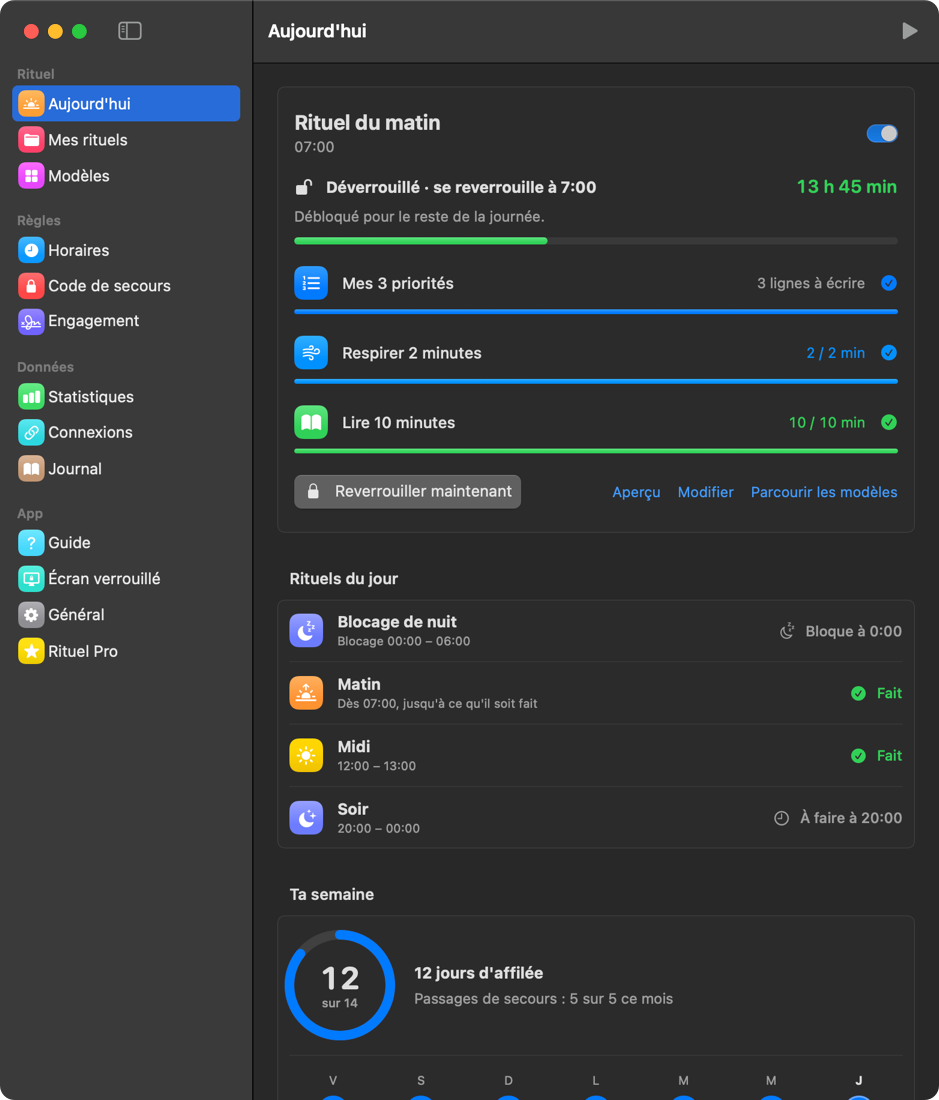
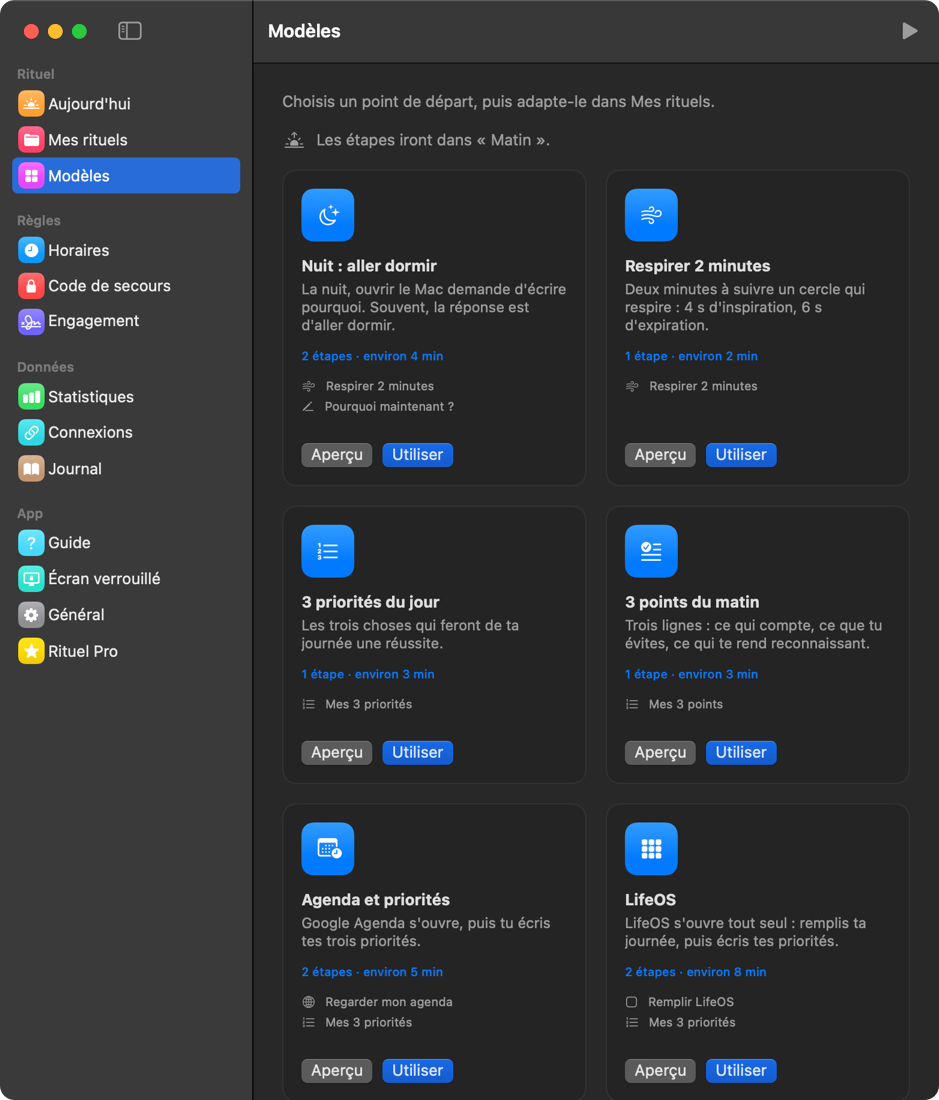
Write an intention, 3 priorities, a checklist, open an app or a site, breathe, run a Shortcut.
- 2
Pick your time
At that time, or at login, Rituel covers the screen. Even after a restart.
- 3
Do it, then work
Once the steps are done, your Mac opens. Tomorrow, again. Streaks build up.
What's inside
Steps that ask for a real action
Write, list, tick, open an app or a site for N minutes, a timer with a breathing guide, a Shortcut, an external signal.
Emergency code, 5 times a month
An emergency? Your code opens the Mac without the ritual, 5 times a month. Each pass is noted, so you see when you needed it and can adjust your ritual if it keeps happening.
Statistics
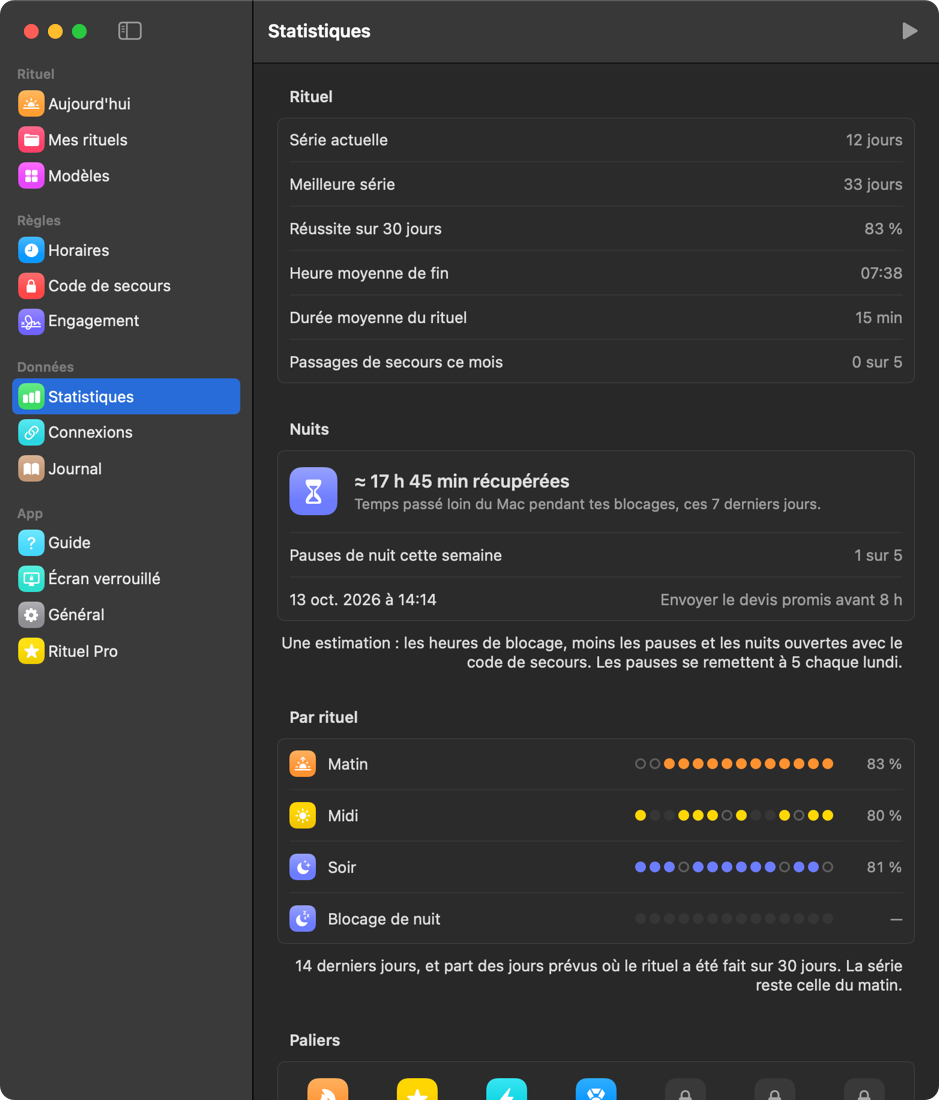
Streak, best streak, 30-day success, one line per step and a year grid.
Your data stays on your Mac
No account, no tracking. Your intentions, priorities and journal stay on your Mac, except the exchanges you turn on yourself (LifeOS, Obsidian, webhook…).
To go further
The « I accept » commitment
Sign up for a period: you can't make your ritual easier at the last minute. Only stricter.
Block your Mac at night
From 11 pm to 6 am the Mac stays blocked: nothing unlocks it. Really need it? A 15-minute pause, 5 times a week, with a written reason.
Several rituals
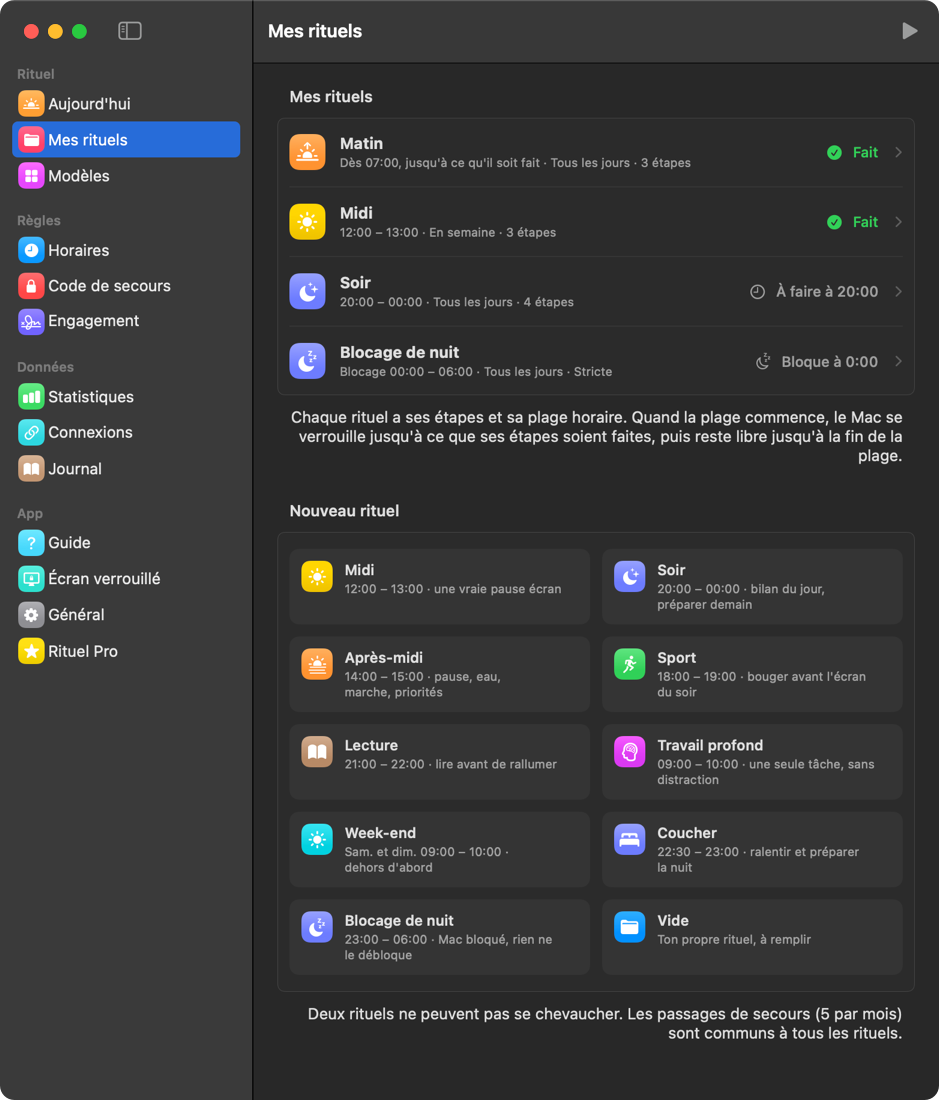
Morning, midday from 12 to 1 pm, evening from 8 pm to midnight: each ritual has its own steps and window. When it starts, the Mac waits until you have done it.
Your password, or Touch ID
Optionally, the lock first asks for your Mac password or Touch ID: you do your ritual, nobody else. Checked by macOS, never stored. It is not an anti-theft tool: your Mac's security remains macOS's.
The real app
Screenshots of Rituel as it runs today (French interface; the app speaks 5 languages).
Pricing
7 days of Pro free when you install. Then it's up to you.
Free
€0
- Morning lock and emergency code
- 1 step: write, list, tick or timer
- Streak, calendar and guide
- Holiday mode and breaks
Pro
€9.99 once, no subscription
- Unlimited steps, every type and template
- Lock at the exact time
- « I accept » commitment
- Screen time and full statistics
- Connections: Obsidian, Notes, webhook, partner
Purchase available soon
Secure payment by Stripe. Refund within 14 days, no questions asked.
Questions
Is it really impossible to bypass?
No, and we'd rather say so. A Mac administrator can always force their way: safe mode, another account, changing the clock. Rituel isn't a prison: it's friction, strong enough that cheating takes more effort than doing your ritual. The emergency code (5 times a month) is there for real emergencies.
What about holidays?
Declare breaks in advance, or turn on automatic holiday mode: outside a zone around home, no lock. While committed, a break only counts if declared 48 hours ahead.
On how many Macs can I use Rituel Pro?
Three. Before selling or reinstalling a Mac: Rituel › Pro › “Remove this Mac from my licence”. Lost or broken Mac: “Free all my Macs”, once a month, then activate your current Macs again.
I lost my licence key.
Look for the email “Your Rituel Pro key” sent after purchase. Can't find it? Write to contact@joinrituel.com from the address you paid with: we'll send it again.
Does it need an internet connection?
No. Rituel works offline. One exception: a connection, once, to activate your Pro licence on this Mac; after that it is checked on your Mac, without the internet.
What happens to what I write?
Everything stays in a folder on your Mac. No data is sent, no account is created. You can erase it all anytime.
Which Mac do I need?
A Mac running macOS 14 Sonoma or later.
What if Rituel isn't for me?
You have 14 days after purchase to get a refund, no questions asked: reply to your licence email. And tell us from the feedback page: Rituel is made by one person who reads everything.
Coming soon
Rituel is in its final stage (Apple signing and notarization). Leave your email: you'll hear the day it ships, and that's all.
Or become a beta tester →